Adding Likes and Comments to My Marketplace, With an Off Switch
My software marketplace had star reviews but no way for a visitor to ask a question, show interest, or see how popular a product was. Here is how I added likes, comments, an off switch and a download count, and what I would do again.

· 7 min read
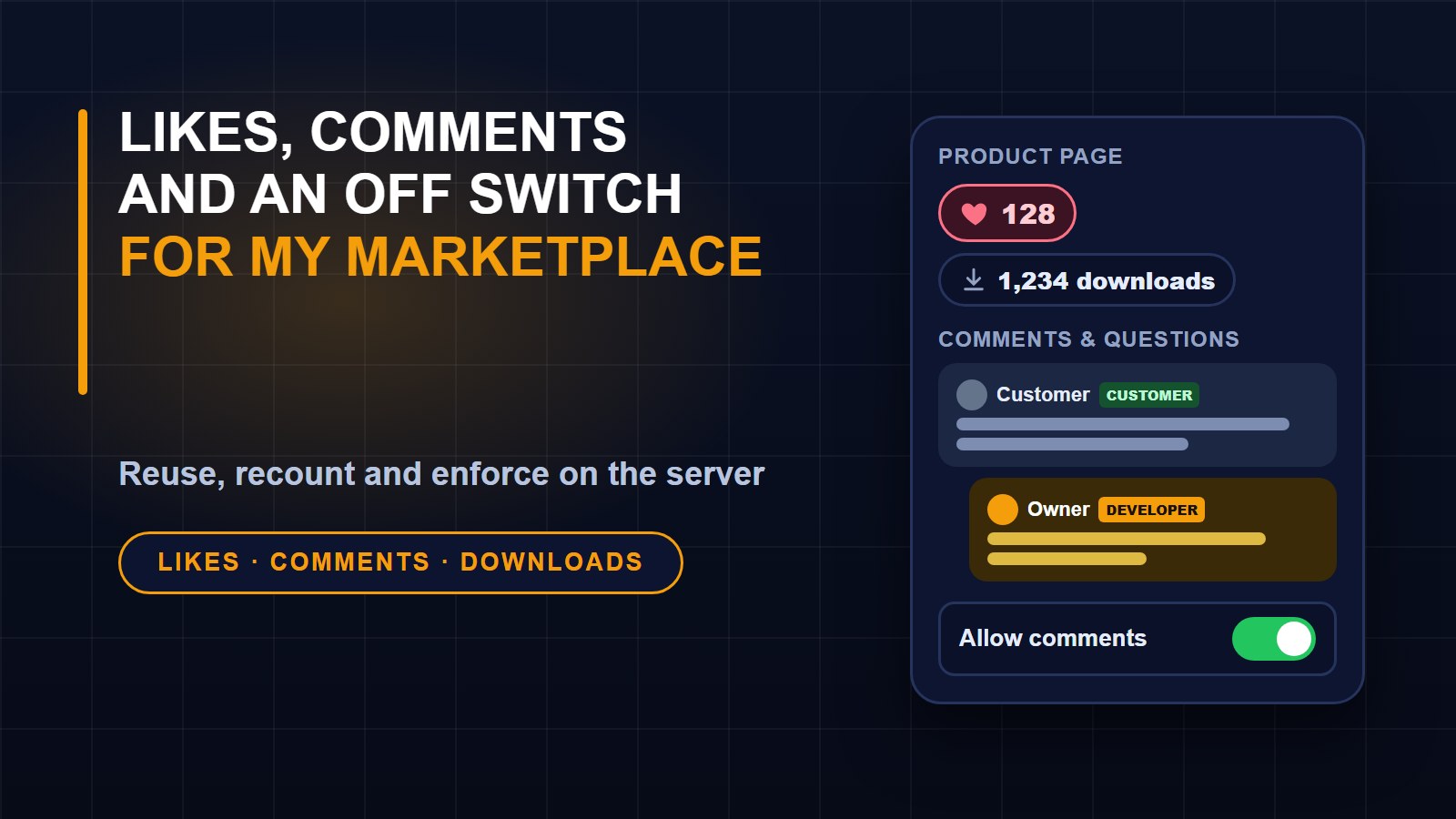
My marketplace already had star reviews, but they were limited to people who had bought a product, and nothing else on the page told a visitor whether anyone cared about it. If you are deciding whether to trust a piece of software, you want to see questions being answered, you want a sign that other people liked it, and you want to know whether it has been downloaded at all.
So I asked for three small things: a way to like a product, a comments section under it, and a visible download count. I also wanted to be able to turn comments off, because the first spam comment will come sooner or later. This post is how I built it and the decisions that mattered.
What was already there
Before writing anything, I looked at what the site already did. Two things turned out to matter.
The blog already had a full comment system: replies, a report button, a rule that holds a comment for review when a brand-new account posts several links, and an admin screen for moderating all of it. It was built to work on more than one kind of page, because it already served blog posts and course lessons.
The products table already stored a download counter and increased it every time a customer downloaded the file. It just was never shown to anyone.
That changed the job. I did not need a new comment system. I needed to teach the existing one about a third kind of page.
Comments: reuse, do not rebuild
Adding a product type to the comment component took a few lines. Comments on a product are stored with the other comments, so moderation stays in one place: the same admin screen, the same hide and approve buttons, the same report counter. The admin list simply labels them as marketplace comments.
Two small touches make the section more useful on a product page. A reply from the site owner carries a Developer badge, and a comment from someone who has bought the product carries a Customer badge. When a stranger asks whether something works on shared hosting, it matters whether the answer comes from the developer and whether the person praising it has actually paid for it.
Likes: count, do not increment
A like needs one table with two columns that point at the product and the person, plus a rule that the pair can only exist once. That rule is what stops one person liking the same product ten times.
The total shown on the page is kept on the product itself so the marketplace list does not need a count query for every card. The tempting way to keep it is to add one when someone likes and subtract one when they unlike. I did not do that. Every time a like changes, the code recounts the rows and stores the real number. If two clicks arrive at the same moment, or something fails halfway, the number can never drift away from the truth, because it is recalculated from the table every time.
Guests who press the heart are sent to the sign-in page and brought back to the product afterwards. Signed-in people are limited to thirty likes a minute, which is far more than a real person needs and enough to stop a script.
The off switch
Each product has a setting called allow comments, on by default. You can change it in the product form, with a switch right in the product list, or for many products at once with a bulk action.
What off means took some thought. I decided that switching comments off should hide the whole section from visitors, refuse any new comment, and keep every existing comment safely stored. If I switch comments back on a week later, the conversation is still there. Deleting everything the moment I turn a switch is the kind of mistake you only make once.
The part that is easy to forget is the second half. Hiding the section in the page is not enough, because the page is not the only way to reach the code. Anyone can send a request that calls the comment action directly, whatever the page looks like. So the comment component itself checks the product setting before saving anything, and refuses with a clear message if comments are off. The switch is enforced on the server, not just drawn in the browser.
Showing the download count
Showing the number was the easy part: a small download icon and a figure under the title, a row in the details box, and the number on each product card in the marketplace list. The wording takes care of itself, so it reads one download or 1,234 downloads.
One honest note. The counter goes up each time a file is downloaded, so a customer who downloads twice counts twice. For a small marketplace that is acceptable and easy to explain, and I would rather show a simple true number than an invented one. A newly listed product also shows zero downloads, which is simply the truth until the first customer arrives.
How I tested it
I wrote nine tests, and they check behaviour rather than appearance:
1. The product page shows the download count, with the right singular and plural.
2. The marketplace cards show downloads and likes.
3. A signed-in person can like and unlike, and the total follows.
4. Two people liking adds up, and a guest is sent to sign in without changing anything.
5. A signed-in person can comment, and a guest cannot.
6. A comment from a buyer is marked as a customer.
7. Switching comments off hides the section, blocks a crafted request, and switching them back on brings the old comments back.
8. New products have comments on by default.
9. The owner can switch comments off and on from the product list.
The last test taught me something. It failed at first with a plain Forbidden page, even though my test user had the administrator role. The admin area checks permissions for each resource, and my test user had the role but not the permission to view products. Real users get those permissions from a seeded setup, and my test did not. It is a good reminder that an admin test should create the permissions it needs, and that a 403 in a test usually means a missing permission, not broken code.
I also opened the page in a real browser on a throwaway product: liked it, posted a comment, and watched the heart fill in and the counter change. Then I deleted the product and the test account so nothing stayed behind.
Putting it live
The change adds two columns to the products table and one new table, nothing removed, so the existing products keep working. Before copying files, I compared each live file with the version in my repository to make sure the server had not drifted. Then I backed up the ten files I was about to replace, uploaded the new ones, ran the migration, cleared the caches and loaded several product pages to see the like button, the comment box and the count. After that I committed the work.
What I would do next
Comments are open to any signed-in person, which fits a small marketplace. If it ever gets busy, the next steps are an email to me when a new question arrives, and a reminder to buyers asking them to rate what they bought. For now the three features do what I wanted: they let a visitor see that a product is alive, ask a question, and leave a sign of approval, while I keep the controls.
About the author
Francis Landford
Software Engineer | Creative Problem Solver | Innovative Software Solutions & Modern Applications
More about Francis Landford →

Discussion (0)
Sign in or create a free account to join the conversation.
No comments yet. Start the conversation.