Keeping Student Data Safe: Privacy Basics for School Management Systems
A school system holds names, contacts, grades, fees and sometimes health details about children. Here are the privacy and security basics every school should expect: roles, strong logins, backups, consent and careful handling.

· 5 min read
A school holds some of the most sensitive information in a community: children's names, birth dates, photographs, parents' phone numbers, home addresses, attendance, grades, fees and sometimes health or family details.
If that information is lost, leaked or misused, the harm falls on children and families, and the school's reputation can suffer for years. Yet in many schools it sits in a pile of papers, a shared spreadsheet or a system nobody has reviewed for security.
This post sets out the privacy and security basics every school should expect from its records, whether on paper, in spreadsheets or in a school management system.
Start by collecting less
The safest data is data you never collected. For each piece of information, ask: do we really need this, who needs to see it and for how long?
Many forms ask for more than the school uses. Remove what is unnecessary. Less data means less to protect, less to lose and less to explain to parents.
Give each person only the access they need
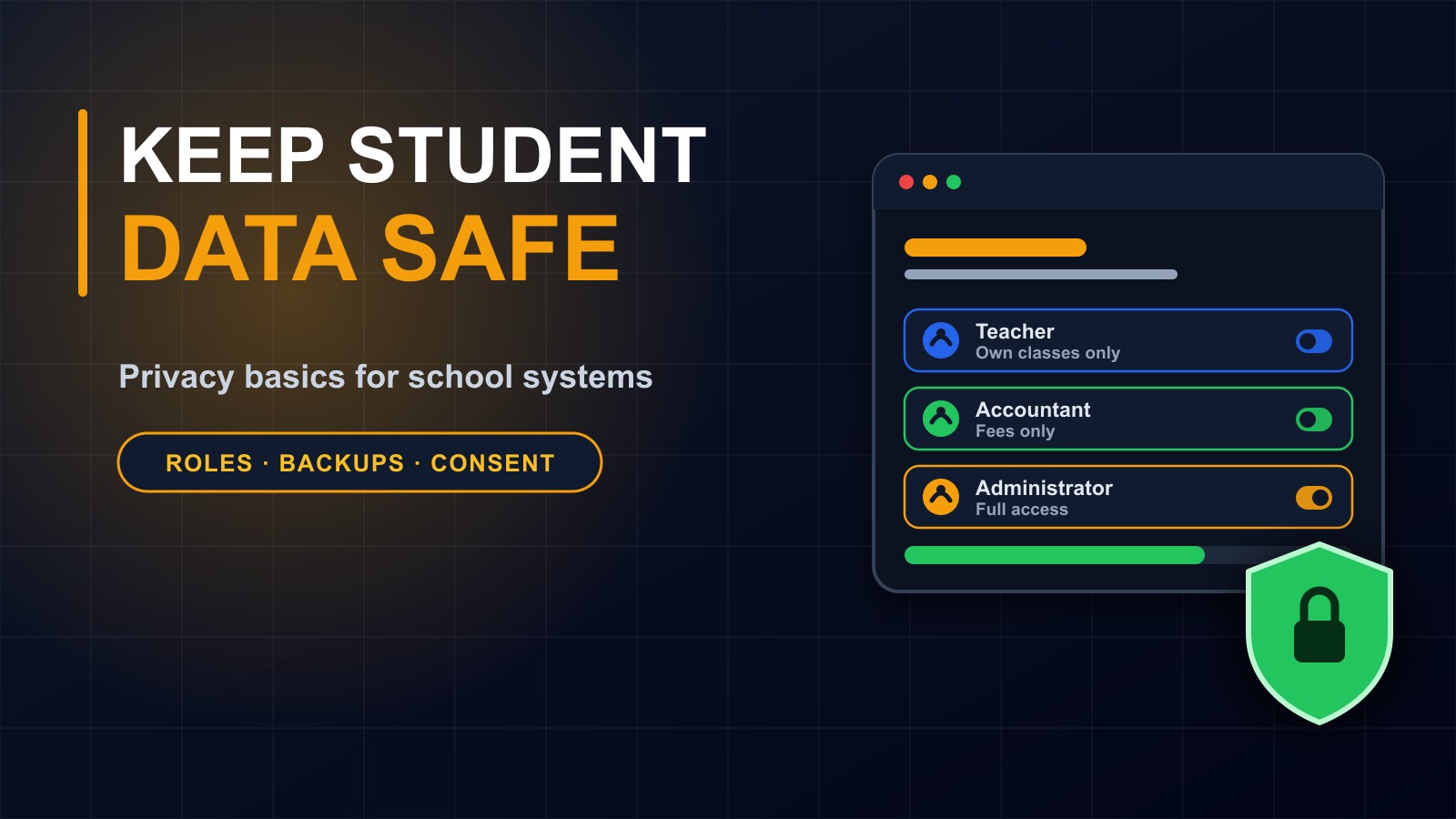
Not everyone should see everything. A good system uses roles.
A teacher should see their own classes and enter their own marks. An accountant should see fees and payments, but not disciplinary notes. A parent should see only their own child. A head teacher or administrator may see most things, and only a very small number of people should be able to change settings or manage users.
This principle, giving the least access necessary, prevents both mistakes and misuse. It also limits the damage if one account is ever compromised.
Strong, individual logins
Shared passwords are a serious weakness. If five staff use one login, nobody knows who did what, and when someone leaves, the password stays the same.
Every person should have their own account with a strong password. Use two-step login for administrators and anyone with wide access. Lock accounts after repeated failed attempts. Remove access the same day a staff member leaves.
Keep an activity record
A good system records who looked at or changed important information and when. This audit trail deters misuse, helps investigate mistakes and answers the question of what happened if a record changes unexpectedly.
Protect the data in storage and in transit
The system should use a secure connection, shown by HTTPS, so information cannot be read on its way between a device and the server. The server itself should be kept updated and protected, and sensitive data should be stored carefully.
Be wary of free tools and informal channels for sensitive information. Sharing report cards or personal details in open group chats or public cloud folders is a common way data leaks.
Back up, and test the backups
Schools cannot afford to lose years of records. Back up regularly, keep copies in more than one place, including one away from the school, and practise restoring them. A backup that has never been tested is only a hope.
Choose and understand your hosting
Know where your system and its data are hosted, who can access the server and what happens if the provider has a problem. Ask your developer or vendor to explain it in plain language. If you cannot get a clear answer, that is a warning sign.
Be open with parents and get consent
Parents should know what information the school collects and why. A short, plain privacy notice is enough: what is collected, who sees it, how long it is kept and who to ask about it.
Get permission before using photographs or names publicly, such as on the school's website or social media, and respect a parent's wish to say no.
Do not keep data forever
Decide how long different records are kept. Some, such as results and certificates, need to be kept for many years. Others, such as a stray list from an old event, do not. Delete or archive data that is no longer needed, securely.
Train staff
Technology cannot protect data on its own. Staff should know not to share passwords, to be careful with phishing messages, to lock their screens, not to leave printouts around and not to copy student data onto personal devices or messaging groups.
A short training session once a year, and a reminder when new people join, makes a real difference.
Have a plan for when something goes wrong
Decide in advance who will be told, who will investigate and how parents will be informed if data is lost or exposed. Act quickly: change passwords, close the hole, find out what was affected and communicate honestly.
Questions to ask your system provider
Who can see which information, and can I control it? Does every user have a separate login? Is there an activity log? How often are backups taken, where are they stored and have they been tested? Where is the data hosted? Who owns the data if we stop using the system? What support do we get when there is a problem?
A good provider answers these clearly and in writing.
A school system built with care
I build school management systems with role-based access, individual logins, backups and clear handover, so schools stay in control of their own records. If you would like me to review how your school's data is handled today, or build a system that protects it, I am glad to help.
Contact me through the contact page, or call or WhatsApp me on +231 777 810 466. And if you know a school administrator who keeps student records in a shared spreadsheet, please send them this post.
About the author
Francis Landford
Software Engineer | Creative Problem Solver | Innovative Software Solutions & Modern Applications
More about Francis Landford →