How to Create and Sell an Online Course: A Beginner's Guide
If you know something other people want to learn, you can teach it online. Here is a practical beginner's guide: choosing a topic, planning lessons and quizzes, deciding between free and paid, picking a platform, handling payments and finding students.

· 6 min read
Somewhere in your business, your school or your own experience, there is knowledge that other people would pay to learn. How to run a small shop. How to prepare for an exam. How to repair phones. How to use a spreadsheet. How to farm a particular crop. How to start a career in your field.
An online course lets you teach that knowledge to many people, at their own pace, whenever they want, without being in the room. It can bring in income, build your reputation and attract clients, and it can help people who cannot reach a classroom.
This post is a practical guide for beginners, from the first idea to your first students.
Step 1: Choose a topic you can teach well
Good topics sit where three things meet: something you know well, something people actually want to learn and something they will value enough to finish.
Ask yourself: what do people regularly ask me for help with? What have I learned that took me a long time to figure out? What problem could I help a beginner solve in a few weeks?
Be specific. A course called Business is too broad. A course called How to Keep Simple Books for a Small Shop is a clear promise.
Step 2: Know your learners
Describe the typical student. What do they already know? What are they struggling with? What do they hope to achieve? What devices and internet connection do they have? In many places most learners use a phone, often with limited data, and that should shape how you build the course.
Step 3: Define the result
Write one sentence: after this course, the student will be able to ... Make it concrete and measurable. For example: record daily sales and expenses in a spreadsheet and work out profit at the end of the month.
Every lesson should move the student closer to that result. If a lesson does not, leave it out.
Step 4: Plan the structure
Break the journey into modules, and each module into short lessons. A beginner course might have four to eight modules, with several lessons in each. Order them so that each builds on the last.
Keep lessons short, focused on one idea and practical. Short lessons are easier to finish, easier to update and kinder on mobile data.
For each lesson, plan: the one idea, a clear explanation, an example, and a small task so that learners practise, not just read.
Step 5: Choose the format
Text lessons with images are quick to produce, easy to read on a phone and light on data. Video can be very effective for demonstrations, but it takes more effort and data, so keep it short and offer a text summary. Downloadable guides, checklists and templates are valued by learners. Live sessions can add interaction, if you have time.
You do not need expensive equipment. A clear voice, good lighting and a quiet room go a long way. Clear writing matters more than fancy production.
Step 6: Add quizzes and certificates
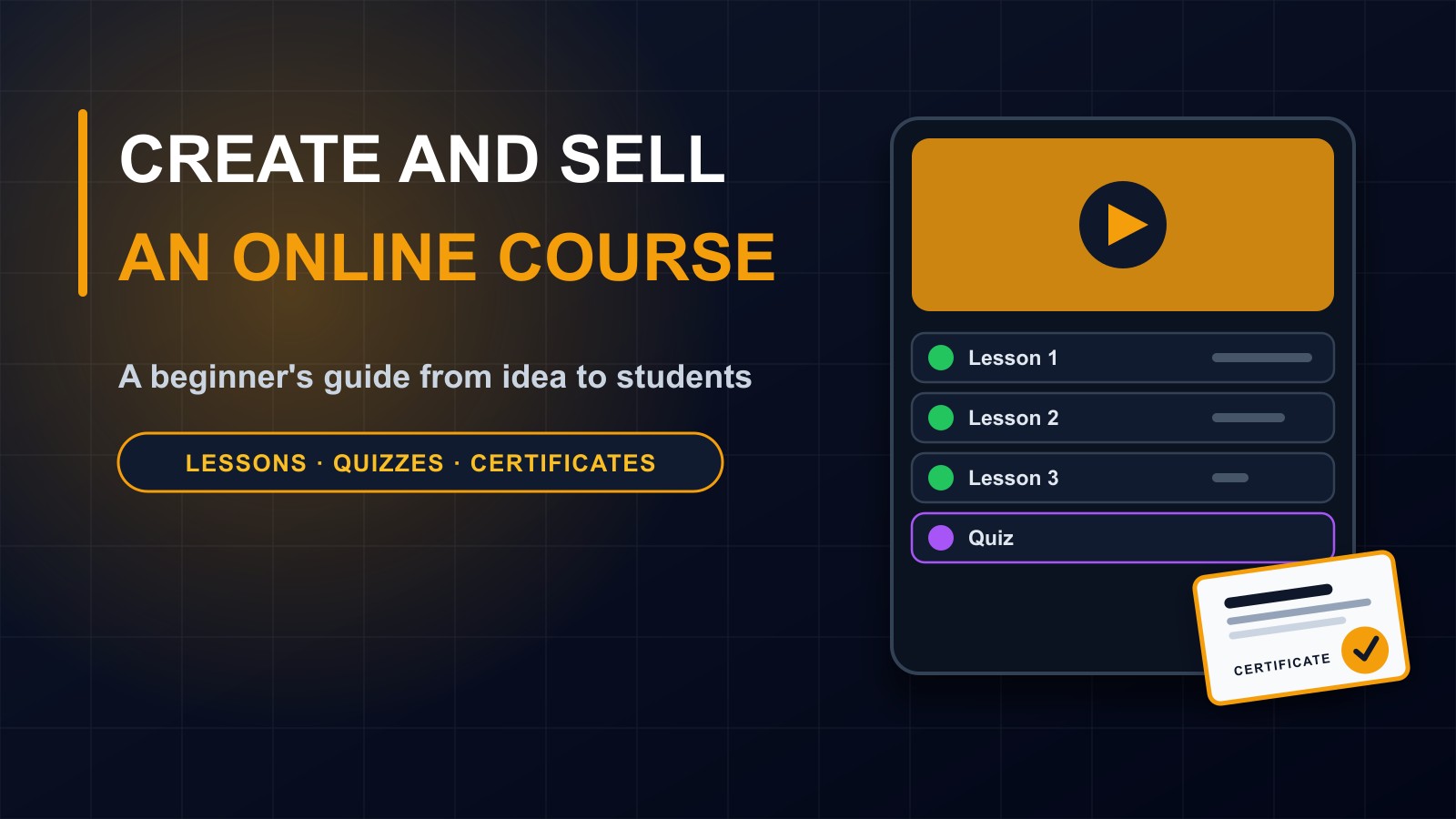
Short quizzes help learners check understanding and keep them engaged. A final quiz gives a sense of achievement, and a certificate gives them something to show employers or share online.
For certificates to be worth something, they should be earned: completing all the lessons and passing the quiz, and verifiable, so that someone can check that the certificate is genuine. Be honest about what it represents. A certificate of completion is not a degree.
Step 7: Decide free or paid
Both can work. A free course can build trust, bring you an audience and show what you can do. Many people start with a free course and offer advanced material for a fee.
If you charge, set a price that reflects the value and what learners can afford. Consider a free first lesson so people can try before they pay. Explain clearly what is included, how long access lasts and what the refund policy is.
Step 8: Choose where to host it
You have three main options.
Marketplaces, which host courses and bring in some students, but charge fees, control the pricing and own the relationship with your learners.
Ready-made course platforms, which give you tools and a branded page for a monthly cost.
Your own e-learning platform on your own website, which gives you full control over design, student data, pricing, payments and certificates, but needs to be built and maintained.
Think about the long term: who owns the student list? Can you export your content? What happens if the platform changes its rules?
Step 9: Make it easy to pay
If your learners use mobile money, make sure they can pay with it. Offer clear payment instructions, confirm payments quickly and automatically unlock the course once the payment is confirmed. Avoid asking students to send screenshots and wait. Payment confirmation should be built into the platform.
Send a receipt or confirmation email, and make support easy to reach if something goes wrong.
Step 10: Make it work on phones and low data
Test everything on an inexpensive phone. Keep images small, text readable and pages fast. Let learners resume where they stopped. If you use video, keep files small and give a text alternative.
Step 11: Launch small, then improve
Do not wait until everything is perfect. Launch with a first version, invite a small group of students, ask for honest feedback and improve. Watch where learners get stuck or drop out, and fix those lessons.
Step 12: Find your students
A course does not sell itself. Tell people it exists.
Share useful free content: articles, short tips, a free first lesson. Use your website, social media and WhatsApp channels. Ask friends, colleagues and partner organizations to share it. Offer a few free places in exchange for honest reviews, and publish real testimonials with permission. Be honest about what the course teaches and who it is for.
Support your learners
Answer questions promptly. Give feedback. Encourage people who fall behind. Learners who feel supported finish and recommend the course to others.
Mistakes to avoid
Choosing a topic that is too broad. Making lessons too long. Using only video and ignoring low-data learners. Skipping practice and quizzes. Promising results you cannot guarantee. Using other people's images, text or music without permission. Ignoring student privacy. And never updating the content.
Respect learners' privacy
You will hold names, emails and progress records. Collect only what you need, protect it, explain how you use it in a privacy policy and never share it without permission.
See it in practice
On my own e-learning platform, I offer free courses with lessons, quizzes and certificates, at francislandford.com/e-learning. You are welcome to take one and see how it works for learners.
Want your own course platform?
I build e-learning platforms with courses, quizzes, certificates and mobile money payments, so that you own your content and your students. Contact me through the contact page, or call or WhatsApp me on +231 777 810 466. And if you know a teacher, trainer or professional with knowledge to share, send them this post.
About the author
Francis Landford
Software Engineer | Creative Problem Solver | Innovative Software Solutions & Modern Applications
More about Francis Landford →