8 Questions to Ask Before You Buy Any Software or System
Too many businesses and schools pay for a system and then cannot get updates, access their own data or reach the seller. These eight questions help you find out, before you pay, whether the seller will still be there for you next year.

· 5 min read
Buying software is not like buying a chair. A chair is finished the day it is delivered. Software is something you will depend on every day, for years, and it must keep changing: new rules, new staff, new needs, new phones, new security threats.
That is why so many businesses and schools have the same sad story. They paid for a system. It worked for a while. Then they needed an update, and the seller stopped answering calls. Or they wanted their data out and discovered they could not get it.
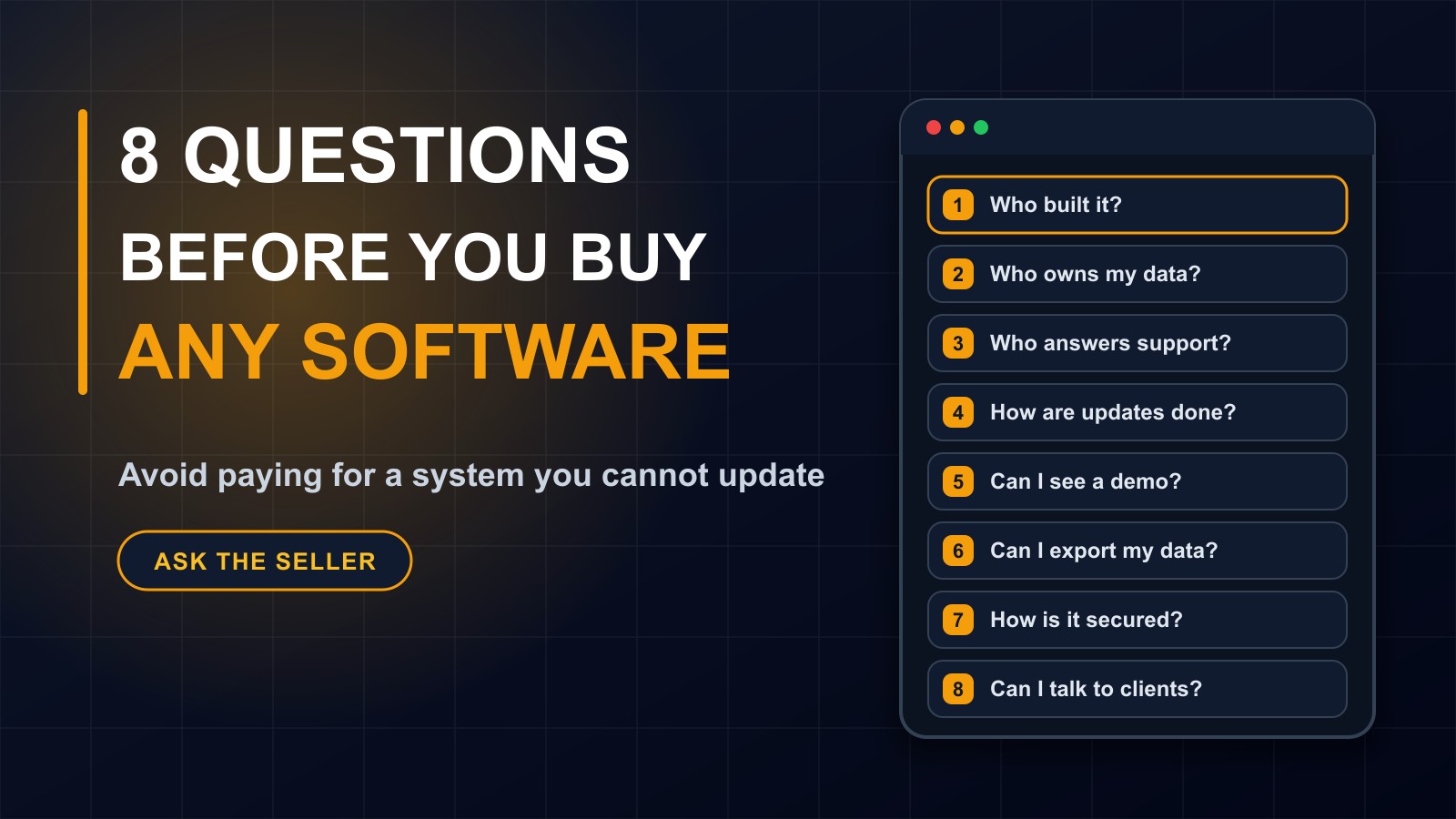
Most of these problems can be avoided by asking the right questions before you pay. This post gives you eight, why each matters and what a good answer sounds like.
1. Who actually built it?
Is the person selling it the person who wrote the code, or a reseller? Resellers are not necessarily bad, but when you need a change, your request has to pass through them to the real developer, and it can get lost on the way.
A good answer: we built it, and you can speak to the developer. If it is a reseller, ask how support works and whether they can change the software themselves.
2. Who owns my data?
Your records, whether students, customers, orders or accounts, belong to you. Confirm that in writing. Ask where the data is stored, who can access it and what happens to it if you stop using the system.
A good answer: you own your data, you can export it at any time and we will delete it on request.
3. Who answers when something goes wrong?
Find out exactly how support works. Who do you call? Through which channel? During which hours? How quickly will they respond? Is support included, or does it cost extra? What happens in the first year and afterwards?
A good answer: a named contact, clear hours, realistic response times and written terms. Beware of vague promises such as we are always available.
4. How are updates handled?
Every system needs fixes, improvements and security updates. Ask who applies them, how often, whether they are included in the price and whether they might interrupt your work. Ask how new features are requested and what they cost.
A good answer: updates are planned, tested and communicated, and the seller explains how long older versions are supported.
5. Can I see it working, with my own examples?
Ask for a demo or a trial, and bring real scenarios: how do you register a new student, record a fee payment, produce a report card, handle a refund? Watch whether the answers are smooth or full of workarounds.
If possible, let the people who will use the system try it: teachers, cashiers, managers. They notice problems that decision makers miss.
6. Can I get my data out?
This is the test of whether you are buying a tool or a trap. Ask what formats you can export to, whether you can do it yourself and whether there are charges. Ask what you would receive if you decided to leave in three years.
A good answer: you can download your records in standard formats at any time, and we will help you move if you need to.
7. How is it secured?
A system holding customer, student or financial information must protect it. Ask about secure connections, individual logins, roles and permissions, activity logs, backups and where they are stored. Ask how passwords are protected, and what happens if there is a security problem.
A good answer is specific and calm. Be wary of answers like it is completely hacker-proof. No system is.
8. Can I talk to other customers?
Ask for the names of two or three organizations that use the system, ideally similar to yours, and ask them how it has been in practice, especially when something went wrong. How quickly did the seller respond? Were there surprise costs?
A confident seller will happily connect you. A reluctant one is telling you something.
Questions about money
Alongside the eight, ask about the full cost. What is the setup fee? Is there a yearly or monthly charge? What does it include? What costs extra: training, extra users, customisation, hosting, backups? What happens to the price after the first year? Get it in writing, itemised.
Red flags
A price far below everyone else with no explanation. Pressure to pay everything today. No written agreement. A seller who cannot say who built the product. Unclear answers about data and support. No way to export your records. No references. Promises that sound too good to be true.
What to get in writing
The scope of what you are buying. The price and payment schedule. Who owns the data and code or what licence you receive. Support terms, including hours and response times. Update and maintenance terms. What happens if the relationship ends. And contact details for the people responsible.
A good seller is happy to put all of this on paper.
If you are already stuck
If you have already bought a system and cannot get support, start by finding out who actually built it and whether you can reach them. Back up and export what you can. Ask whether another developer could take over the maintenance, and be realistic about whether a rebuild may be better than patching something nobody understands.
Buy from someone who will answer your call
I build the systems I sell, so when you need a change, you talk to the person who wrote the code. I am happy to answer all eight questions about my own work, and to review a system you are considering, from anyone, and tell you honestly what I think. Contact me through the contact page, or call or WhatsApp me on +231 777 810 466. And if a friend is about to buy software, send them this checklist first.
About the author
Francis Landford
Software Engineer | Creative Problem Solver | Innovative Software Solutions & Modern Applications
More about Francis Landford →