A 30-Minute Security Training Plan for Your Staff
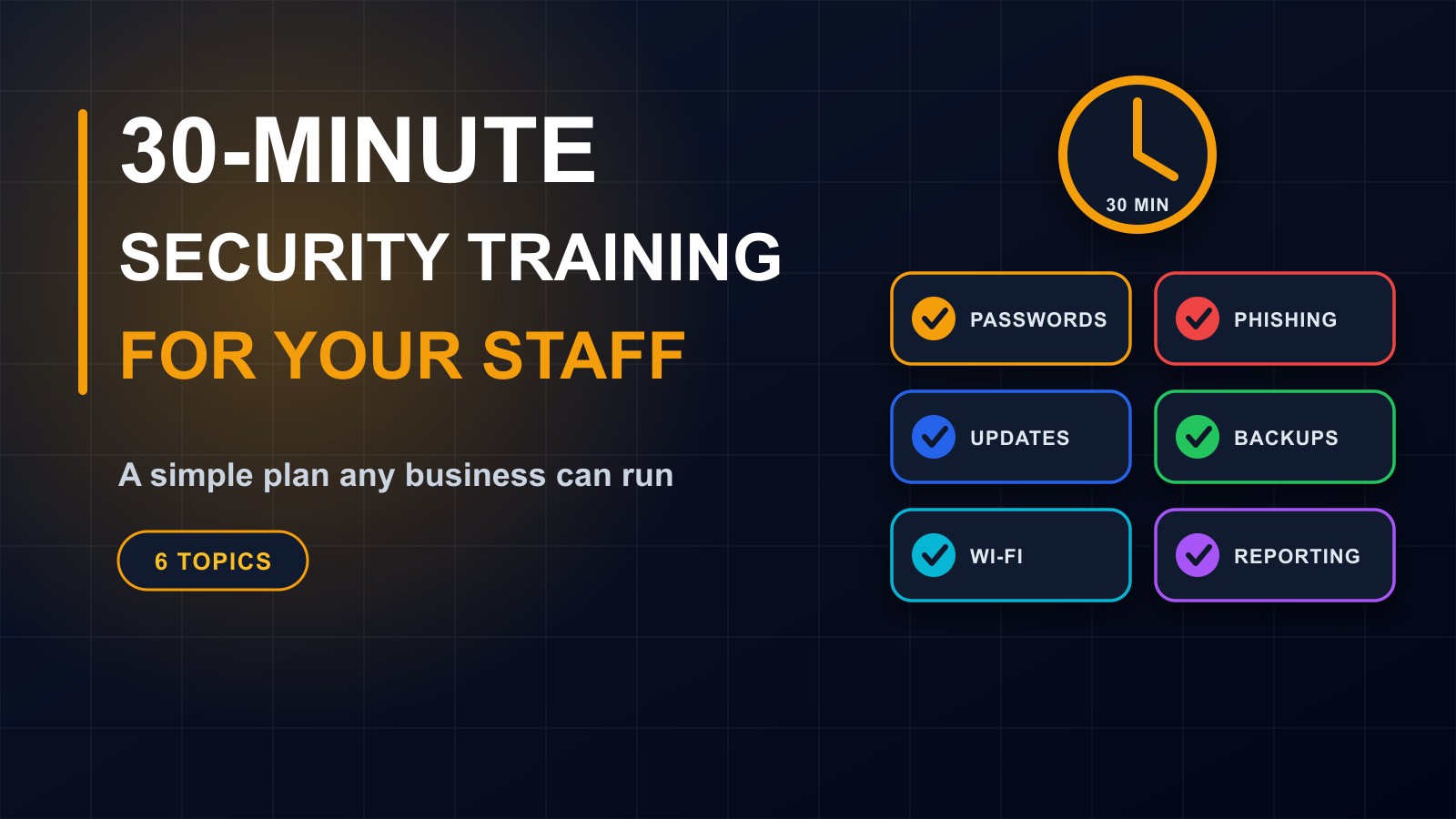
Most security incidents start with a person, not a machine. A short, regular training session can prevent the most common ones. Here is a simple 30-minute plan covering six topics any business or school can run.

· 6 min read
You can buy the best locks in the world and still lose everything if someone holds the door open for a stranger. The same is true online. Most successful attacks on small businesses and schools do not break clever technical defences. They trick a person.
A fake invoice is opened. A password is reused. A phone is left unlocked. A suspicious message is ignored because nobody knew whom to tell.
The encouraging news is that a short, practical training session can prevent many of these. You do not need a budget, a security team or special software. This post gives you a simple 30-minute plan any business, school or organization can run, with a one-page policy to follow it up.
Before you start
Choose a time when everyone can attend, such as the start of a staff meeting. Tell people the goal: to protect the organization and themselves, not to blame or test them. Explain that mistakes happen, and that reporting them quickly is more valuable than hiding them.
Bring a few real examples, such as a screenshot of a fake message, with personal details removed.
Minute 0 to 3: Why this matters
Start with a short, relatable story. A business receives an email that looks like it comes from the boss, asking for an urgent transfer. Or a school loses its records when a laptop is stolen and no backup exists. Ask: how would we cope if this happened to us?
Explain that attackers go after easy targets, and that everyone, from the owner to the newest assistant, is part of the defence.
Minute 3 to 8: Passwords and two-step login
Key messages:
Use a different password for every important account, especially email, banking and admin systems. Make passwords long: a phrase of several random words is better than a short complicated one. Use a password manager if you can. Never share passwords, even with colleagues or IT. Turn on two-step login wherever it is offered, starting with email. Never tell anyone the code that arrives on your phone.
Activity: ask everyone to turn on two-step login for their email, right now, on their own phones.
Minute 8 to 14: Phishing and scams
Phishing is a message designed to trick you into clicking, paying or revealing information. Show examples and the warning signs: urgency, threats, requests for passwords or money, unexpected attachments, odd sender addresses, links that do not match the real website.
Key messages:
Pause before you click. Check who sent it. Do not log in through a link in a message. Type the address yourself or use the official app. Confirm unusual payment or bank detail changes by calling the person on a number you already know. If in doubt, ask.
Activity: show three messages and ask the group which are fake and why. Include one that is genuine, so that people learn to think instead of fearing everything.
Minute 14 to 18: Updates and software
Explain that updates fix known weaknesses, and that criminals look for devices that have not been updated. Ask everyone to turn on automatic updates on their phone and computer, to install apps only from official stores, and to avoid cracked or pirated software, which often hides malware.
Minute 18 to 21: Backups and files
Explain what is backed up, where, and how to restore it. Remind staff to save work in the approved place, not only on a personal device, and never to keep the only copy of important files on a flash drive or a phone.
Ask: who is responsible for backups, and when was the last time we tested one?
Minute 21 to 25: Devices, Wi-Fi and the workplace
Lock your screen when you step away. Use a PIN or fingerprint on phones. Keep devices with you, or locked away, and report loss at once. Avoid doing banking or accessing sensitive systems on public Wi-Fi. Do not leave passwords on sticky notes. Do not plug unknown USB drives into work computers. Be careful what you share in chat groups, particularly customer, student or financial information.
If you use AI tools, do not paste confidential or personal data into them.
Minute 25 to 28: Reporting problems early
This is the most important habit. Make it easy and safe to report. Tell people exactly whom to contact and how, with a phone number and a message address, and what to do while waiting: disconnect from the network, do not delete anything and do not try to fix it alone.
Examples to report: clicking a suspicious link, entering a password on a strange page, losing a device, noticing odd activity on an account, receiving a request that feels wrong.
Reassure everyone: no one will be punished for reporting honestly and early.
Minute 28 to 30: Recap and questions
Ask each person to name one thing they will do differently this week. Hand out the one-page policy.
A one-page policy
Keep it short and clear:
Passwords and two-step login: what is required. Email and links: pause, check, report. Devices: lock, update, report loss. Backups: where files must be saved. Personal information: what must never be shared. AI tools: what must never be pasted. Who to contact, with a phone number. And a promise: report honestly and early, and you will be supported.
Keep the habit going
One session is a start, not a finish. Repeat it once or twice a year, and give a short reminder when new staff join. Share a real example when you hear of a scam in your area. Run a small test message, with the group's agreement, and discuss the results kindly. Review your backups and accounts regularly.
For schools
Add specific points: protect student records, do not share children's information in open chats, use official systems for grades and fees, and be careful with photographs of pupils.
How to know it is working
You will hear more questions, and more reports of suspicious messages, which is a good sign. Staff will use two-step login. Backups will be tested. Fewer people will reuse passwords.
Need help running it?
I can deliver this session for your team, in person or online, and review your accounts, devices and backups afterwards. Contact me through the contact page, or call or WhatsApp me on +231 777 810 466. And if you know a manager who thinks security is only about technology, share this post with them.
About the author
Francis Landford
Software Engineer | Creative Problem Solver | Innovative Software Solutions & Modern Applications
More about Francis Landford →